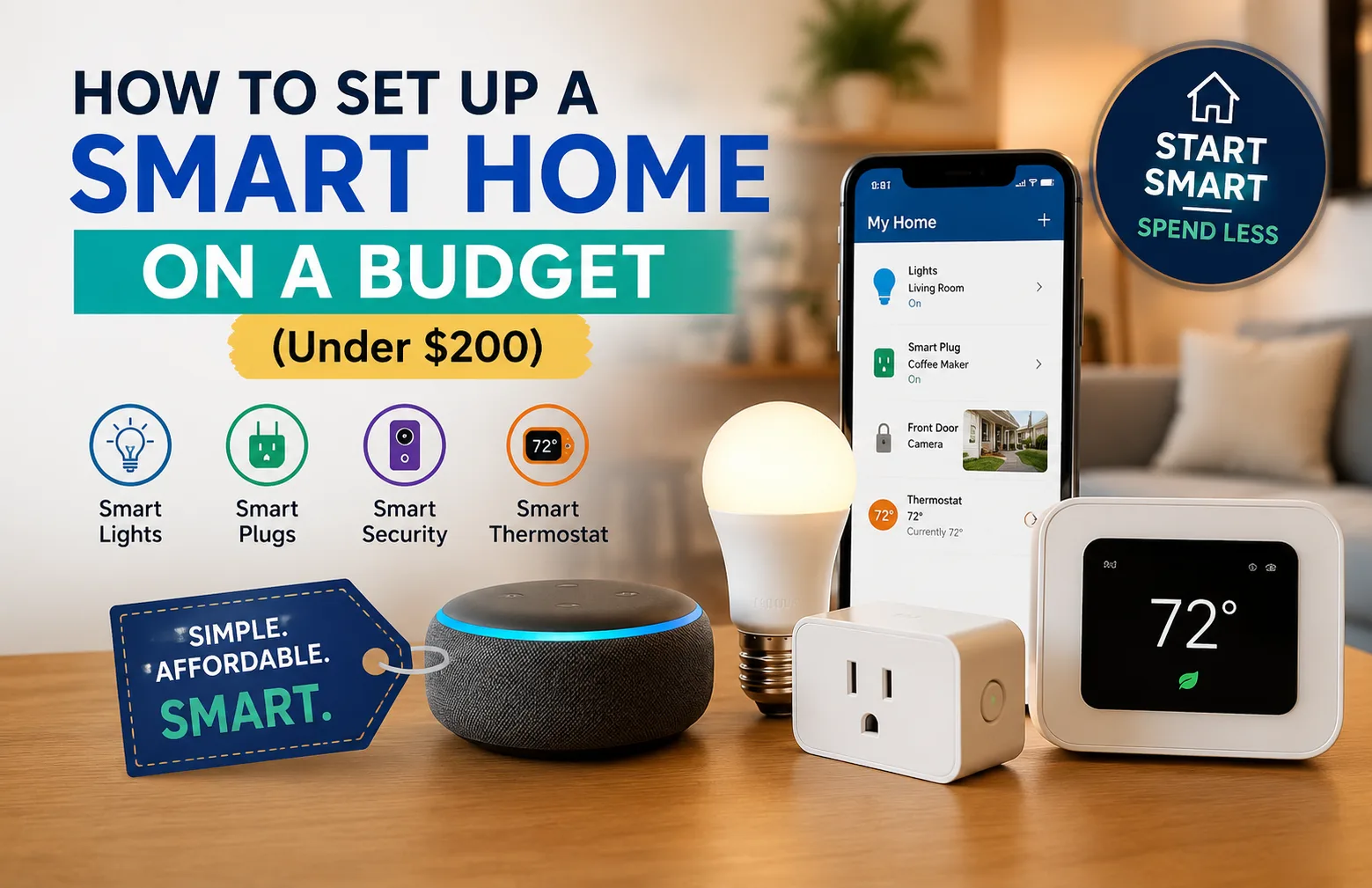
I started with one smart bulb in my living room. That single device made me curious. Then I added a smart plug for my coffee maker. After that, I slowly built a simple setup that saves time every day.
If you are wondering how to set up a smart home on a budget, this guide will walk you through everything in plain English.
You will learn:
- What a smart home really is
- The easiest smart devices for beginners
- A simple setup plan under $200
- Which products are worth buying
- Common mistakes to avoid
What Is a Smart Home?
A smart home uses internet-connected devices that you can control with your phone, voice, or automatic routines.That sounds fancy. But in real life, it is very simple.
For example:
- Your lights turn on when you walk into a room
- Your coffee maker starts before you wake up
- Your thermostat lowers the heat when you leave home
- Your doorbell sends a video alert to your phone
That is a smart home.
Most devices connect through Wi-Fi and work with voice assistants like:
- Amazon Alexa
- Google Assistant
- Apple HomeKit
For beginners, Alexa and Google Assistant are usually easier and cheaper to start with.
Why More People in the USA Are Building Budget Smart Homes
Energy costs keep rising in many parts of the United States. Smart devices can help reduce waste without changing your daily habits.
For example:
- Smart thermostats can lower heating and cooling costs
- Smart plugs stop devices from running all night
- Smart bulbs use less power than older bulbs
Many renters also like smart home devices because most products do not require drilling or permanent changes.
That matters if you live in an apartment or rental home.
How to Set Up a Smart Home on a Budget
The biggest mistake beginners make is buying too many devices at once.
Start small.
Pick devices that solve real problems first.
I usually suggest this order:
- Smart speaker
- Smart bulbs
- Smart plugs
- Video doorbell
- Smart thermostat
This keeps setup easy and avoids frustration.
1. Start With a Smart Speaker
A smart speaker becomes the “brain” of your smart home.
It lets you control devices with voice commands.
You can say things like:
- “Turn off the bedroom lights”
- “Set the temperature to 70”
- “Play relaxing music”
For beginners, these are solid budget options:
- Amazon Echo Dot
- Google Nest Mini
The Echo Dot is usually the easiest for first-time users. It often goes on sale in the USA during Prime Day, Black Friday, and holiday weekends.
Beginner Tip
Place the speaker in the room you use most. For many people, that is the kitchen or living room.
2. Add Smart Bulbs
Smart bulbs are the easiest smart home upgrade.
You screw them in like normal bulbs. Then you control them with an app or voice command.
Popular beginner options include:
- Philips Hue White Smart Bulb
- TP-Link Kasa Smart Bulb
I started with one bulb in my bedroom. Being able to turn lights off without getting out of bed felt surprisingly useful.
What Smart Bulbs Can Do
- Turn on and off remotely
- Dim lights
- Set schedules
- Change colors on some models
Budget Tip
Skip color-changing bulbs at first. Basic soft-white smart bulbs are much cheaper and still useful.
3. Use Smart Plugs for Everyday Devices
Smart plugs are underrated.
They turn “dumb” devices into smart devices.
You plug them into a wall outlet. Then you plug another device into them.
That means you can control:
-
-
-
- Coffee makers
-
-
-
-
-
- Fans
-
-
-
-
-
- Lamps
-
-
-
-
-
- Holiday lights
-
-
-
-
-
- Space heaters
-
-
Good beginner picks include:
-
-
-
- TP-Link Kasa Smart Plug Mini
-
-
-
-
-
- Amazon Smart Plug
-
-
I use one for a small lamp near my desk. It turns on automatically every evening. Small automations like that make your home feel comfortable without much effort.
Safety Note
Avoid using smart plugs with very high-power devices unless the plug is rated for it.
4. Install a Smart Doorbell
A smart doorbell adds convenience and security.
It sends alerts when someone approaches your door.
Popular budget-friendly choices include:
-
-
-
- Ring Video Doorbell
-
-
-
-
-
- Wyze Video Doorbell
-
-
This became useful for me during package deliveries. I could check deliveries from my phone even when I was away from home.
That is especially helpful in many suburban and urban areas across the USA where package theft has become more common.
Beginner Tip
Check your Wi-Fi signal near the front door before buying one.
Weak Wi-Fi causes many smart doorbell problems.
5. Upgrade to a Smart Thermostat
A smart thermostat can save money over time.
It learns your schedule and adjusts heating or cooling automatically.
Popular options include:
-
-
-
- Google Nest Thermostat
-
-
-
-
-
- ecobee Smart Thermostat Essential
-
-
Many utility companies in the United States offer rebates for smart thermostats. Some rebates lower the cost by $50 or more.
Check your local energy provider before buying.
Important Tip
Always check compatibility with your heating and cooling system first.
Budget Smart Home Setup Under $200
Here is a realistic beginner setup that balances price and usefulness.
| Device | Estimated Cost |
| Smart speaker | $40 |
| 2 smart bulbs | $25 |
| 2 smart plugs | $25 |
| Smart doorbell | $60 |
| Basic smart thermostat | $50-$70 |
realistic beginner setup that balances price and usefulness.You do not need to buy everything at once.
A better approach is:
Month 1
Buy a smart speaker and one smart bulb.
Month 2
Add smart plugs.
Month 3
Install a smart doorbell.
Month 4
Upgrade your thermostat if needed.
This keeps costs manageable.
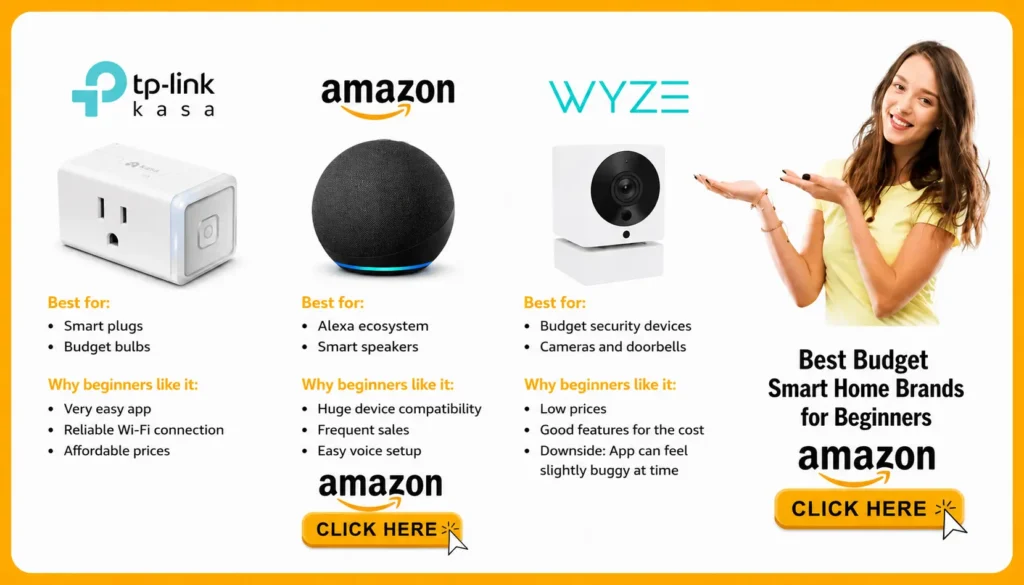
Best Budget Smart Home Brands for Beginners
Some brands are easier for beginners than others.
Here are the ones I trust most for budget setups.
TP-Link Kasa
Best for:
Why beginners like it:
-
-
-
- Very easy app
-
-
-
-
-
- Reliable Wi-Fi connection
-
-
-
-
-
- Affordable prices
-
-
Amazon
Best for:
-
-
-
- Smart speakers
-
-
Why beginners like it:
-
-
-
- Huge device compatibility
-
-
-
-
-
- Frequent sales
-
-
-
-
-
- Easy voice setup
-
-
Wyze
Best for:
-
-
-
- Budget security devices
-
-
Why beginners like it:
-
-
-
- Low prices
-
-
-
-
-
- Good features for the cost
-
-
Downside:
-
-
-
- App can feel slightly buggy at times
-
-
Common Smart Home Mistakes to Avoid
I made several mistakes when I started.
Here are the big ones.
Buying Too Many Devices
Start small.
One or two devices are enough in the beginning.
Mixing Too Many Ecosystems
Try to stay with one main platform:
-
-
-
- Alexa
-
-
-
-
-
- Google Home
-
-
-
-
-
- Apple HomeKit
-
-
Mixing everything can get confusing.
Ignoring Wi-Fi Quality
Weak Wi-Fi causes many smart home issues.
If your signal is weak, devices may disconnect often.
In larger American homes, a mesh Wi-Fi system sometimes helps.
Chasing Cheap Unknown Brands
Very cheap smart devices can stop receiving updates after a year or two.
Stick with brands that have a good reputation.
Simple Smart Home Routines for Beginners
Automation sounds complicated. It is not.
Here are easy beginner routines:
Morning Routine
-
-
-
- Lights turn on at 7 AM
-
-
-
-
-
- Coffee maker starts
-
-
-
-
-
- Weather plays through smart speaker
-
-
Night Routine
-
-
-
- Bedroom lights dim at 10 PM
-
-
-
-
-
- Front door locks
-
-
-
-
-
- Thermostat lowers temperature
-
-
Away From Home Routine
-
-
-
- Lights turn on randomly
-
-
-
-
-
- Doorbell notifications activate
-
-
-
-
-
- Smart thermostat enters eco mode
-
-
These small routines save time and make your home feel more comfortable.
Are Budget Smart Homes Worth It?
For most people, yes.
The biggest benefits are:
-
-
-
- Convenience
-
-
-
-
-
- Energy savings
-
-
-
-
-
- Better security
-
-
-
-
-
- More comfort
-
-
But smart homes are not perfect.
Apps can fail sometimes. Wi-Fi problems happen. And some features require subscriptions.
Still, even a simple setup can make daily life easier.
I noticed the biggest difference with lighting automation. Small tasks disappeared from my routine. That convenience adds up over time.
Final Thoughts on How to Set Up a Smart Home on a Budget
Building a smart home does not need to be expensive or complicated.
Start with one useful device.
Learn how it works.
Then slowly add more over time.
If you are still unsure where to begin, I recommend this simple starter setup:
-
-
-
- One smart speaker
-
-
-
-
-
- One smart bulb
-
-
-
-
-
- One smart plug
-
-
That alone is enough to experience what a smart home feels like.
The best smart home setup is not the most expensive one.
It is the one that makes your daily life easier.
FAQ
What is the cheapest way to start a smart home?
The cheapest way is to start with a smart speaker and one smart bulb. You can usually begin for under $50.
Do smart homes increase electric bills?
Usually no. Many smart devices use very little electricity. Some devices, like smart thermostats and smart bulbs, can even reduce energy use.
Can renters use smart home devices?
Yes. Most smart bulbs, plugs, and speakers work well in apartments and rental homes because they do not require permanent installation.
Do I need fast internet for a smart home?
You do not need extremely fast internet. But you do need stable Wi-Fi coverage throughout your home.